Using 1.8.9 PvP Packs on Newer Minecraft Versions
What changed since 1.8.9, what can be converted automatically and what cannot.
5 min read · Updated 2026-11-14
Most PvP texture packs were made for Minecraft 1.8.9. When you load one in a newer version, the game shows a warning and many textures look vanilla. That is not because the pack is broken: Minecraft changed where it looks for files.
What changed
1.13: the "flattening"
- The
textures/blocksfolder becametextures/block, andtextures/itemsbecametextures/item. - Hundreds of files were renamed. For example
wood_swordbecamewooden_sword,grass_sidebecamegrass_block_sideandwool_colored_redbecamered_wool. - File and folder names must be lowercase.
1.20.2: interface sprites
The big interface sheets (icons.png, widgets.png) were split into many small files, one per heart, hotbar slot and button.
1.21.2: armor moved
Worn armor textures moved from textures/models/armor to textures/entity/equipment with new names.
What PackMixer converts automatically
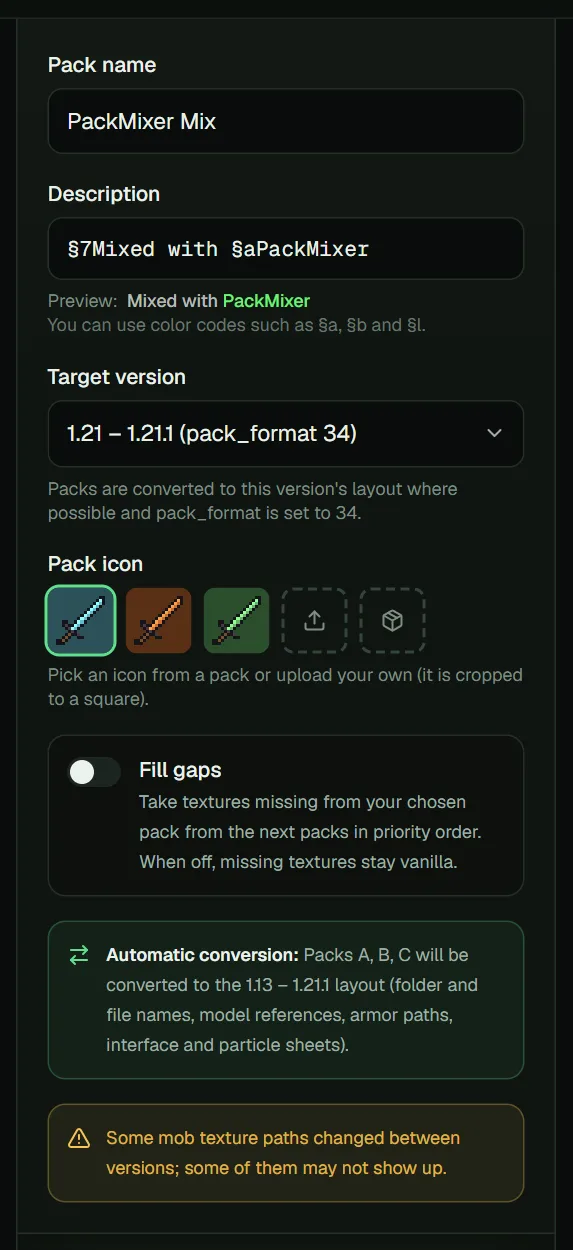
In PackMixer, choose your game version under Target version. Every pack made for a different layout is converted while mixing:
- Folder names (
blocks↔block,items↔item). - The common renamed files: tools, food, potions, wool, glass, clay, planks, logs, ores, flowers, rails and more.
- Texture references inside item and block models, so custom 3D swords keep working.
- Armor textures for 1.21.2 and newer.
- The interface: hearts, hunger, armor and XP bars, crosshair, hotbar and buttons are cut out of the old
icons.pngandwidgets.pnginto the separate sprite files 1.20.2+ uses. - Particles: the common particles (hits, crits, flames, smoke, bubbles, splashes, hearts, notes, drips) are cut out of the old
particles.pnginto the separate files 1.14+ uses. - Lowercase paths for 1.13 and newer.
Block and item conversion works in both directions, so you can also bring a modern pack's textures back to 1.8.9.
Update an old pack in one click
Every older pack card has an Update button. It puts that pack first, uses it for every category, sets the target version to the newest Minecraft version and turns on Fill gaps. Add a pack made for the new version as well, and the textures your old pack is missing are filled from it.
To see exactly what is still missing, open Missing texture check under the mix panel and choose your game's .jar file (for example .minecraft/versions/1.21.4/1.21.4.jar). PackMixer only reads the list of texture names from it and shows, per category, how many textures your pack covers. Nothing from the game is copied into your pack.
What cannot be converted
- Interface and particles from new to old. A 1.20.2+ interface or a 1.14+ particle set cannot be packed back into the old single sheets.
- Rare interface and particle pieces that are not in the conversion table, such as the horse health bar or firework sparks. They look vanilla.
- Some mob textures whose paths changed between versions.
- Old block states and language files. These are left out because their format changed.
- Textures for blocks and items that did not exist in 1.8.9.
PackMixer warns you about these cases before you mix.
The "older version" warning
If you set the target version to your game version, the warning disappears. If you still see it, the pack works anyway: the warning is only a version-number check.